Glidepath Flights
An animated scene at dusk: a mother and her young daughter on a sofa, smiling at a phone. The daughter holds a toy jet.

For crews, travelers, and the family and friends who follow them.

Somebody is always waiting on a flight.

The crew flying it. The traveler in 14A. The family on the sofa. Glidepath Flights tells each of them what they need to know, when they need it.

Free to start. No airline login, ever.

Which one are you?

Animated still: the three crew walk a snowy street on a layover.

Pilots and flight attendants

Your roster, sorted in about a minute.

  • Bring it in any way you have it. A screenshot, the PDF or the text. AI reads it, and nothing is saved until you check it. No airline login, ever. Free: 5 AI imports a month

  • Today counts down. Your next report, departure or release sits at the top, with your legs, hotel and tomorrow below. Free Live gates, tails and alerts: Plus

  • Duty limits from your own schedule. FAR 117 for pilots. Pro US flight attendant rules, FAR 117 or EASA for flight attendants. Plus Advisory only.

  • Home knows without a text. Your family follows free. "On the way home" and "landed safely" reach them with Plus

Everything for crew

Advisory only. Not an official source for operational decisions. Verify with your airline.

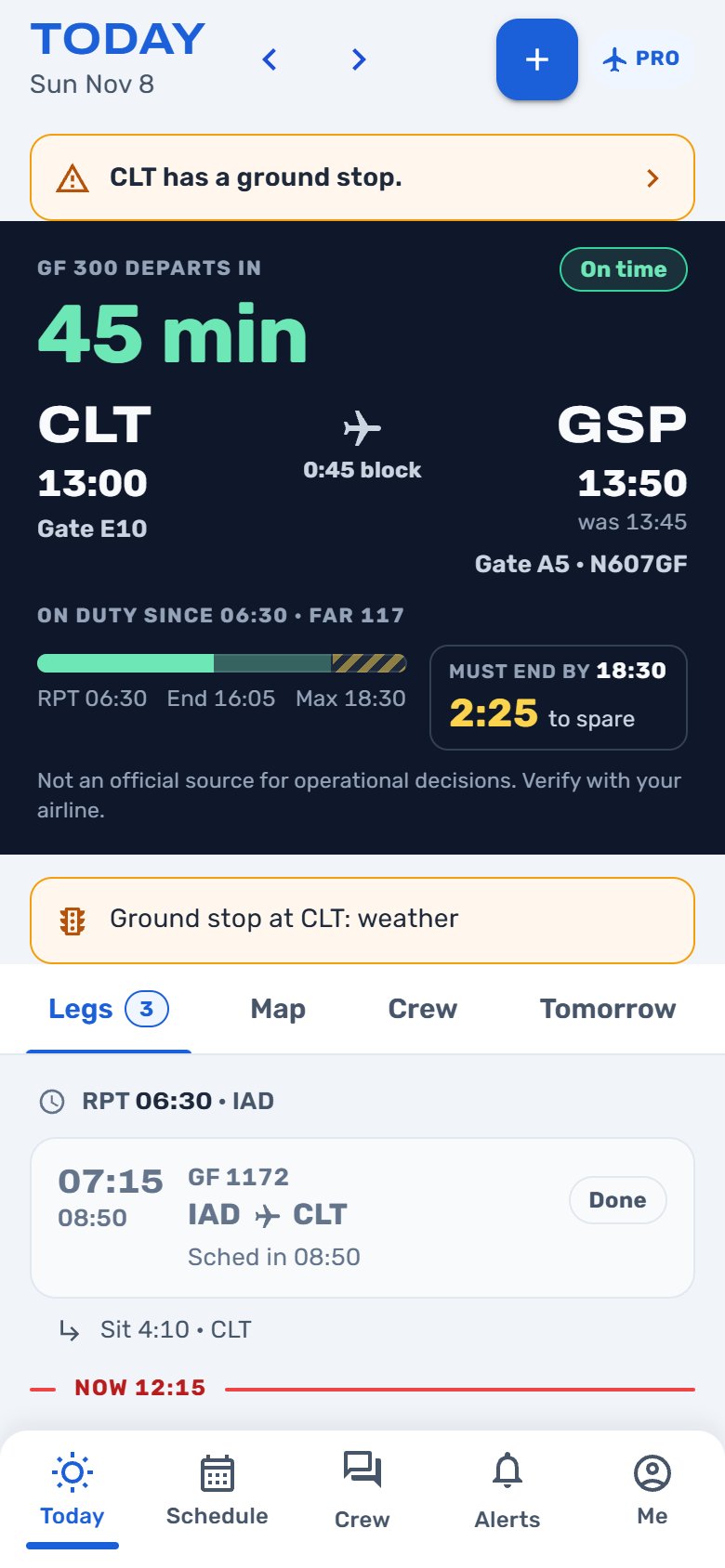
The app's Today screen for crew: GF 300 departs in 45 min, CLT to GSP, with the gate, the tail and a FAR 117 bar showing 2:25 to spare.
The real app, with made-up people.

What Plus and Pro add

Seven real screens: trip figures, the crew brief, the Flight Deck, duty limits, NOTAMs and the pilot logbook.

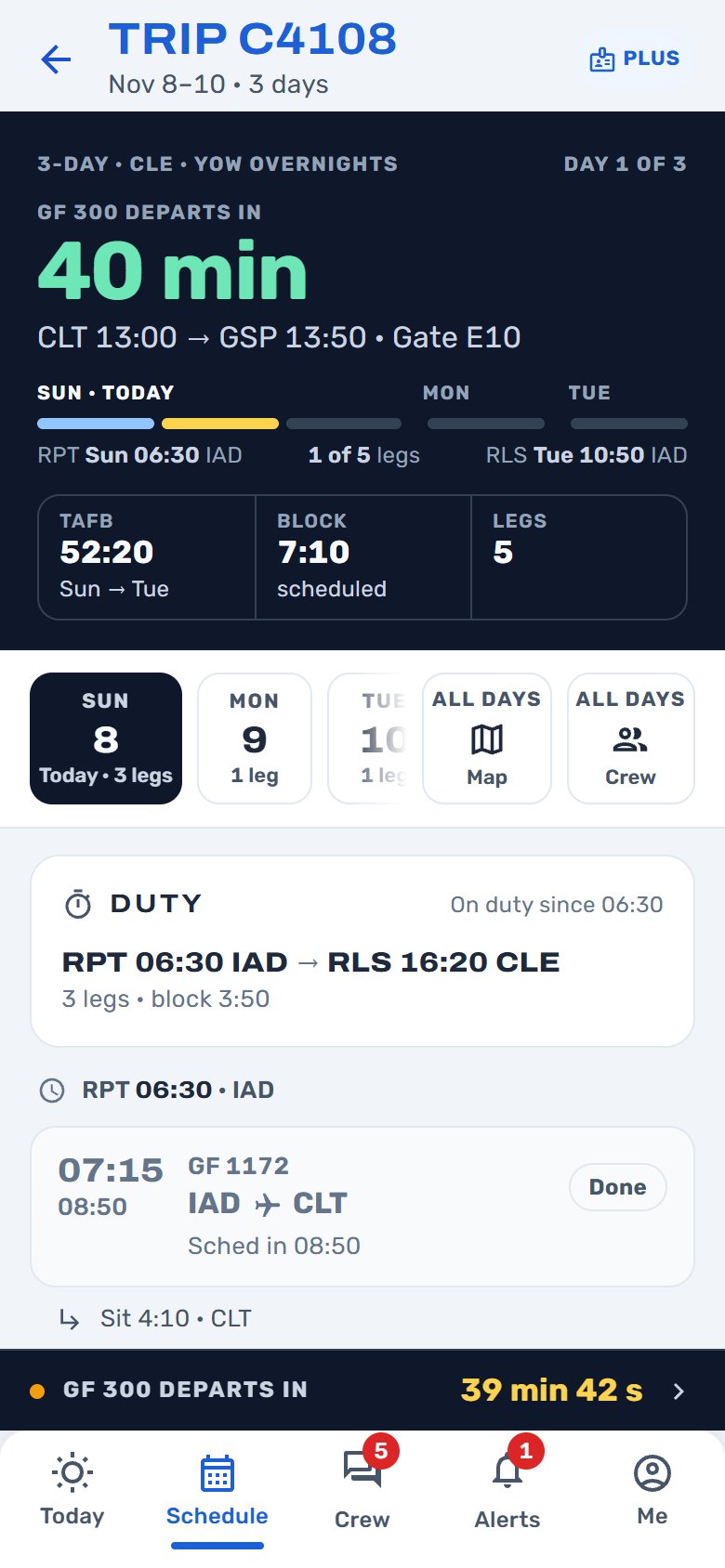
  • A trip page on Plus: trip C4108, a 3-day with Cleveland and Ottawa overnights, TAFB 52:20, block 7:10, 5 legs, and today's duty from report to release.
    Plus

    Block, TAFB and rest

    Every trip's figures, worked out from your schedule.

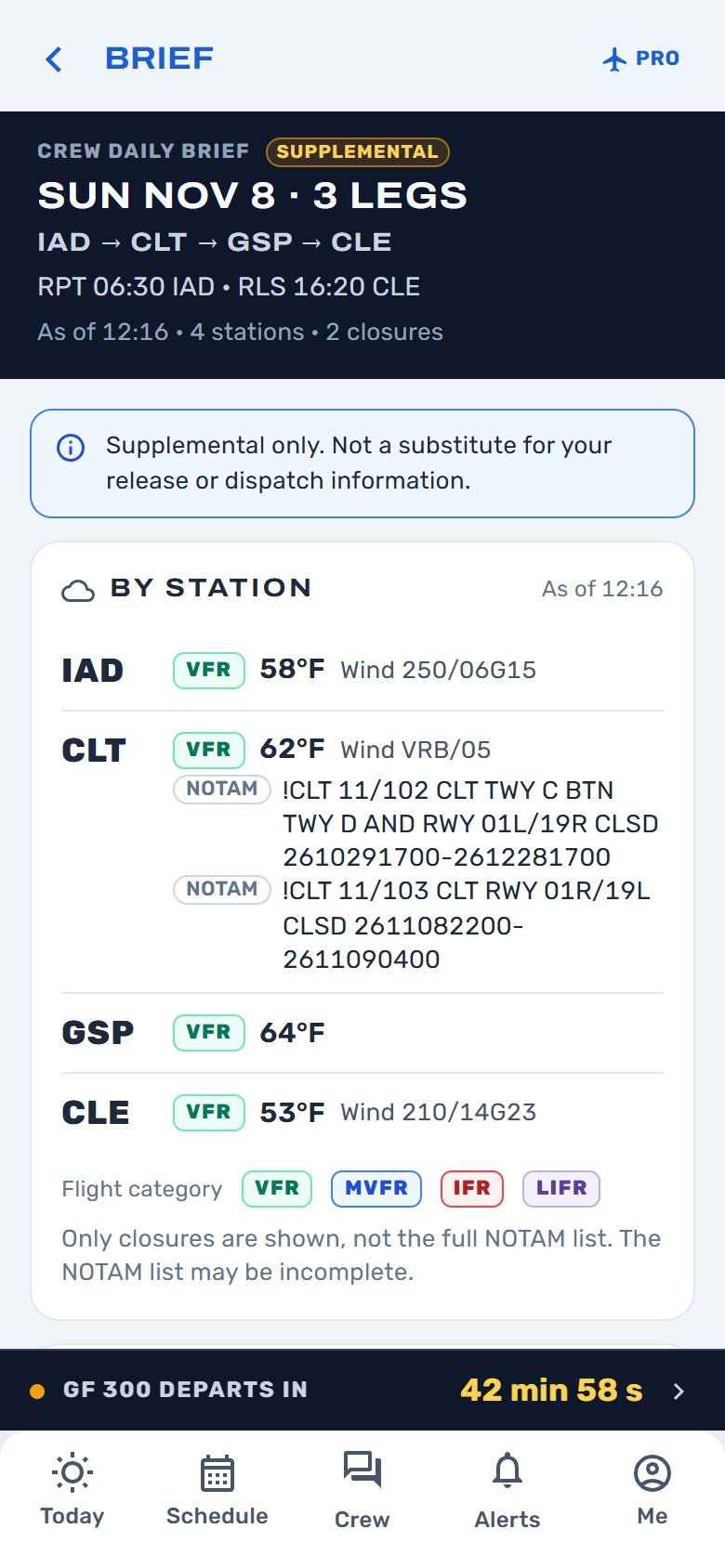
  • The crew daily brief, marked supplemental: Sunday's three legs, report and release, and each station's weather and closures.
    Plus

    The crew brief

    Weather, closures and ground stops for your day. Supplemental only.

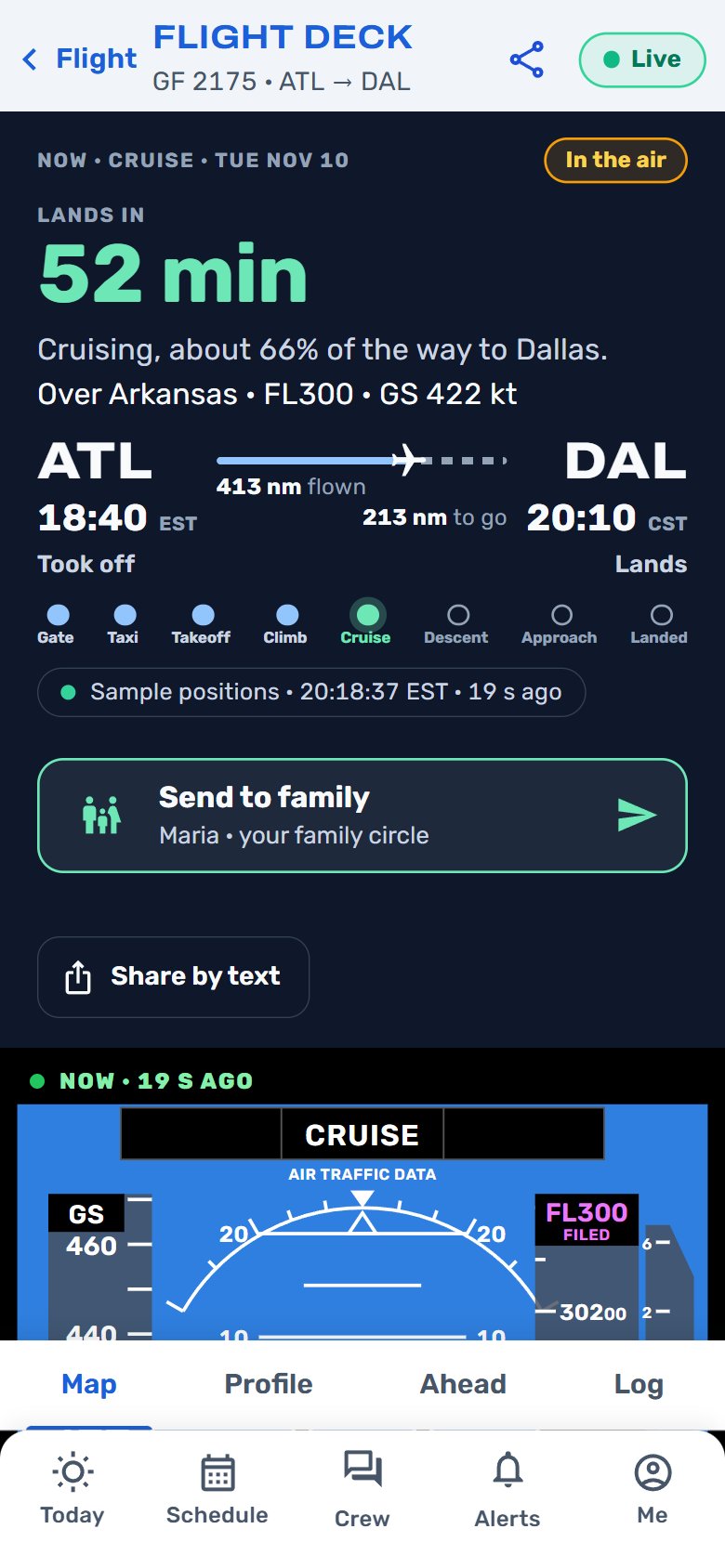
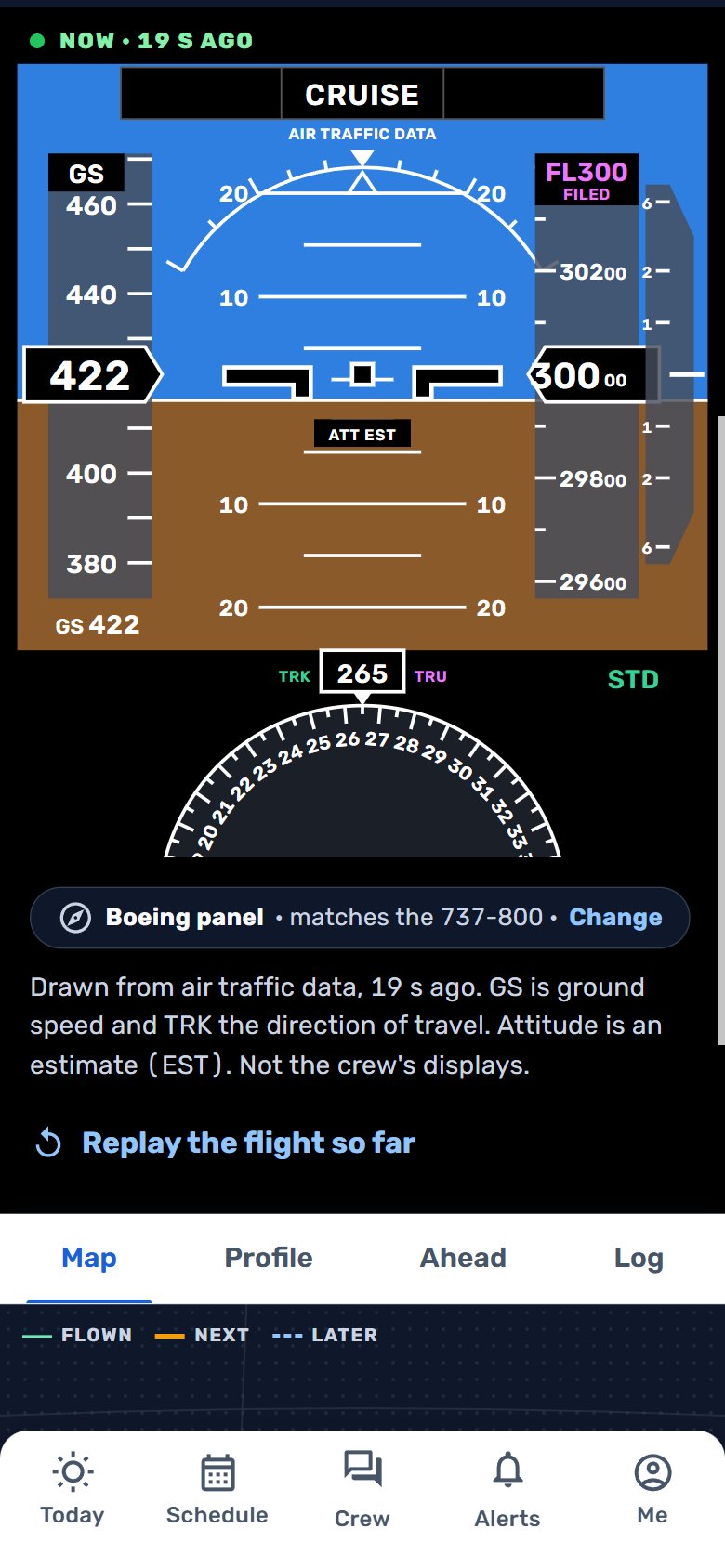
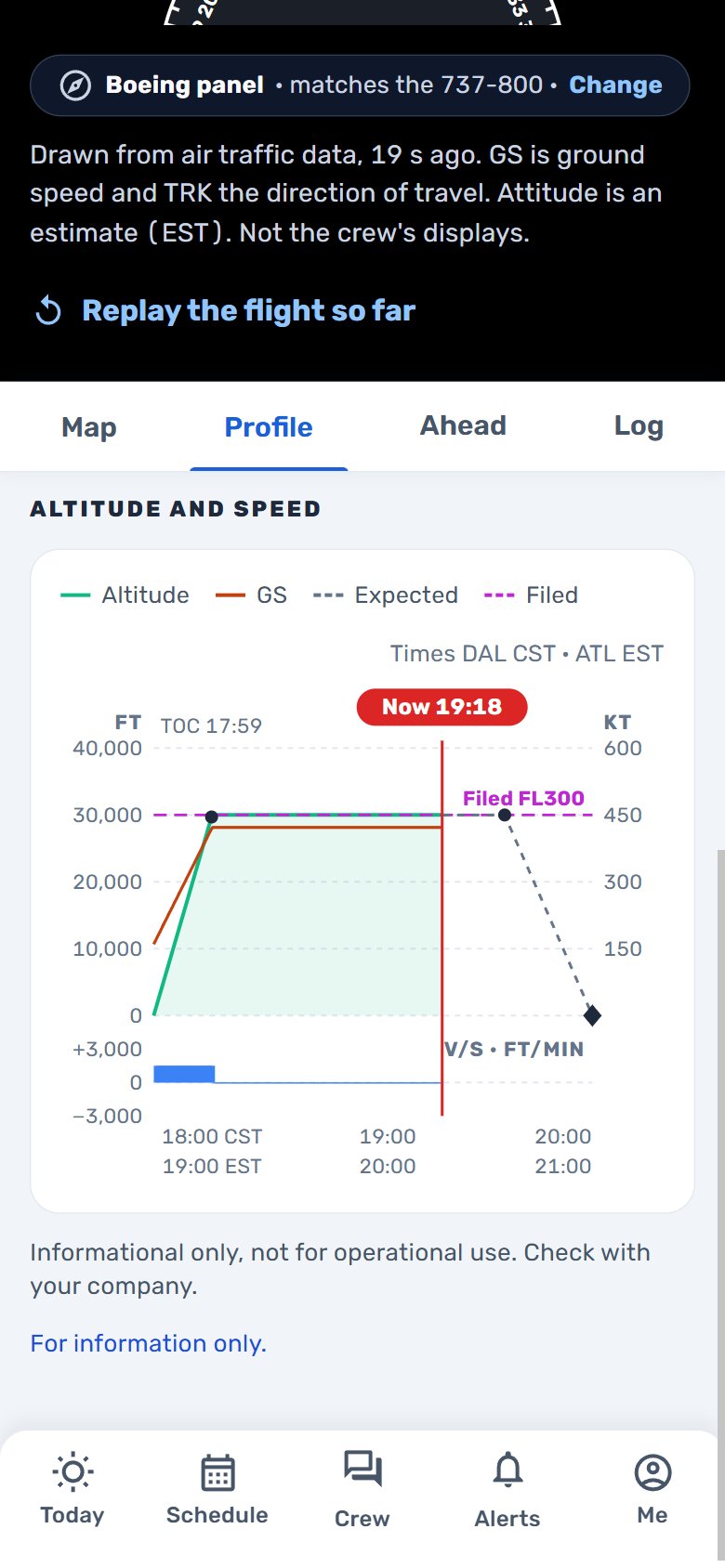
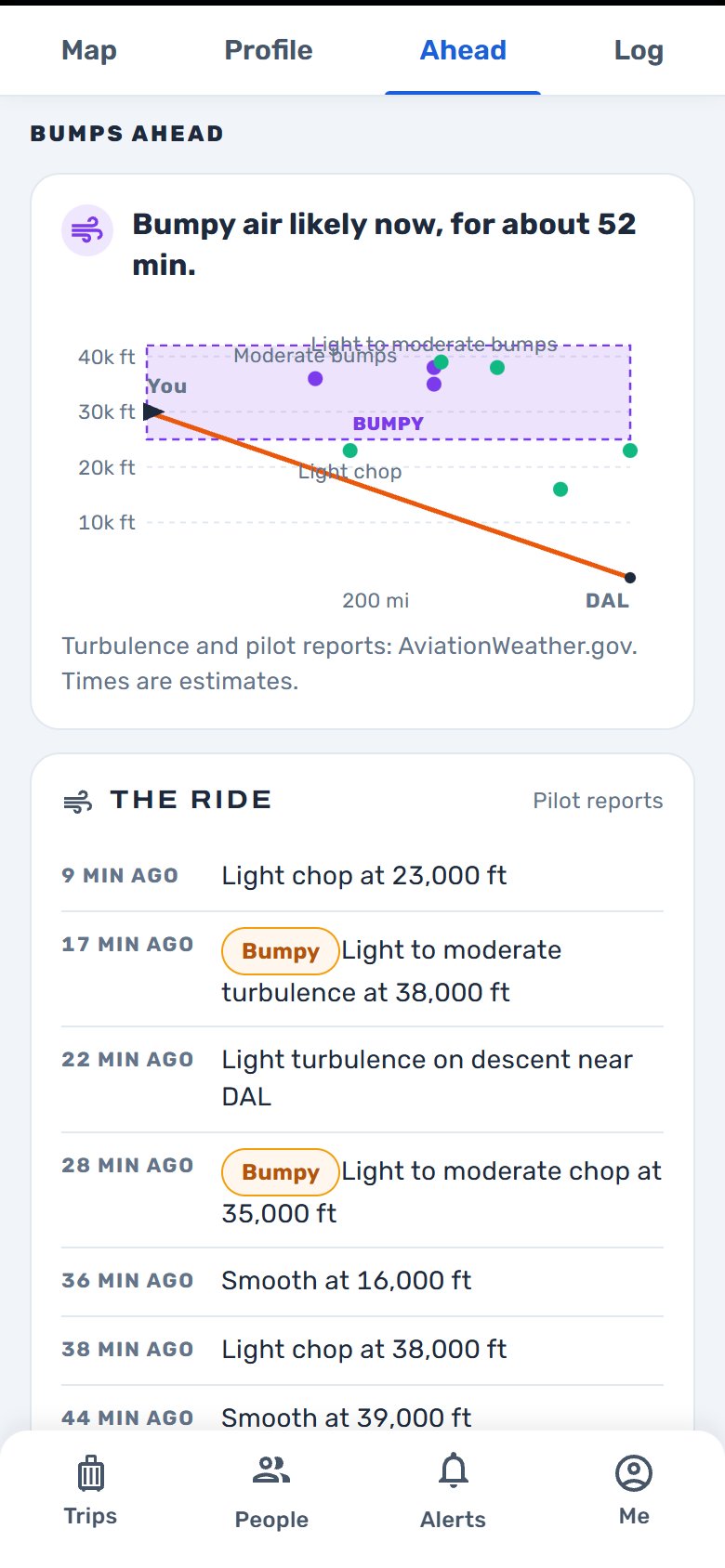
  • The Flight Deck in flight, for crew: lands in 52 min, cruising over Arkansas at FL300, ground speed 422 kt, with the cockpit view below. Two more captures of it fade in, in turn.
    Plus

    The Flight Deck

    Live map, altitude and speed, and the cockpit view.

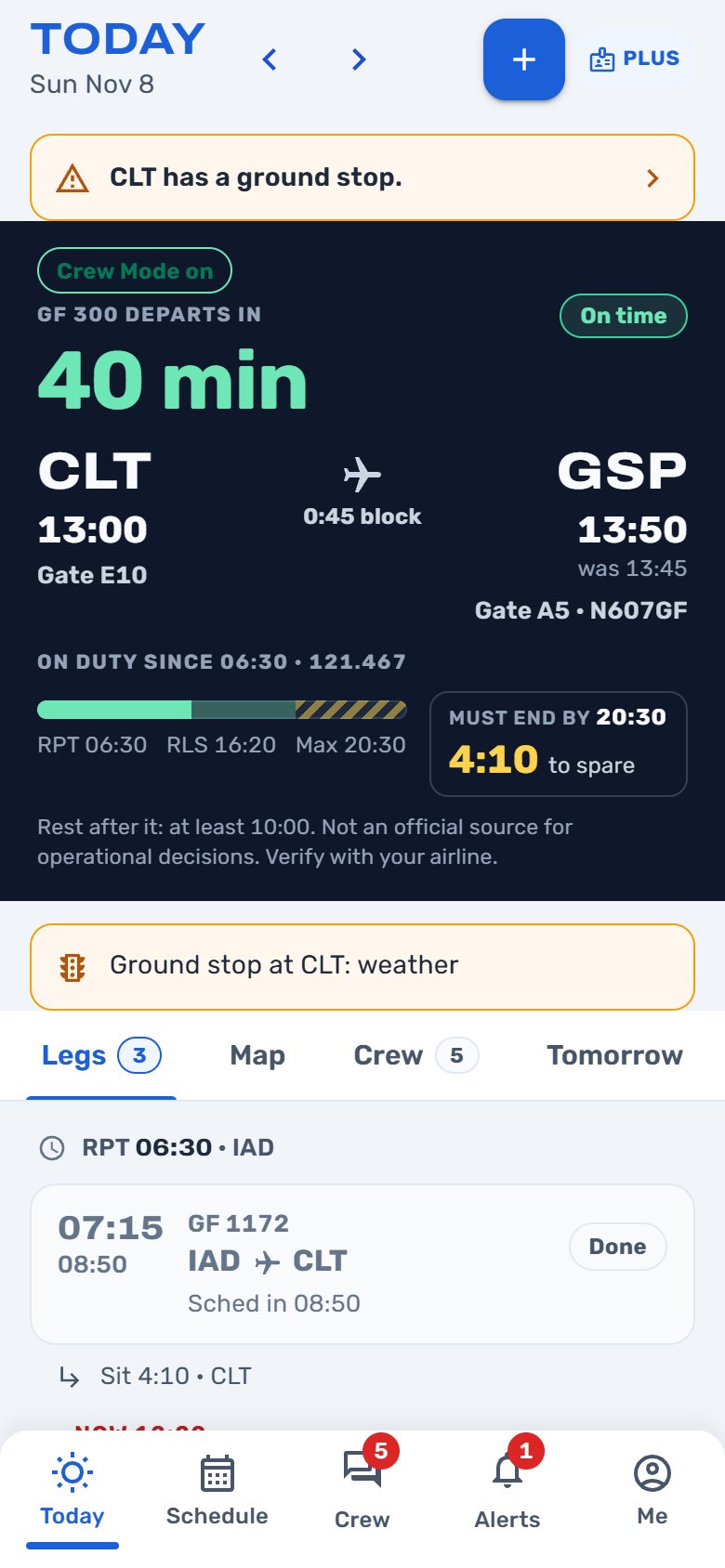
  • A flight attendant's Today on Plus: GF 300 departs in 40 min, on duty since 06:30 under 121.467, must end by 20:30, 4:10 to spare.
    Plus

    Duty and rest, for flight attendants

    US flight attendant rules, FAR 117 or EASA. Advisory only.

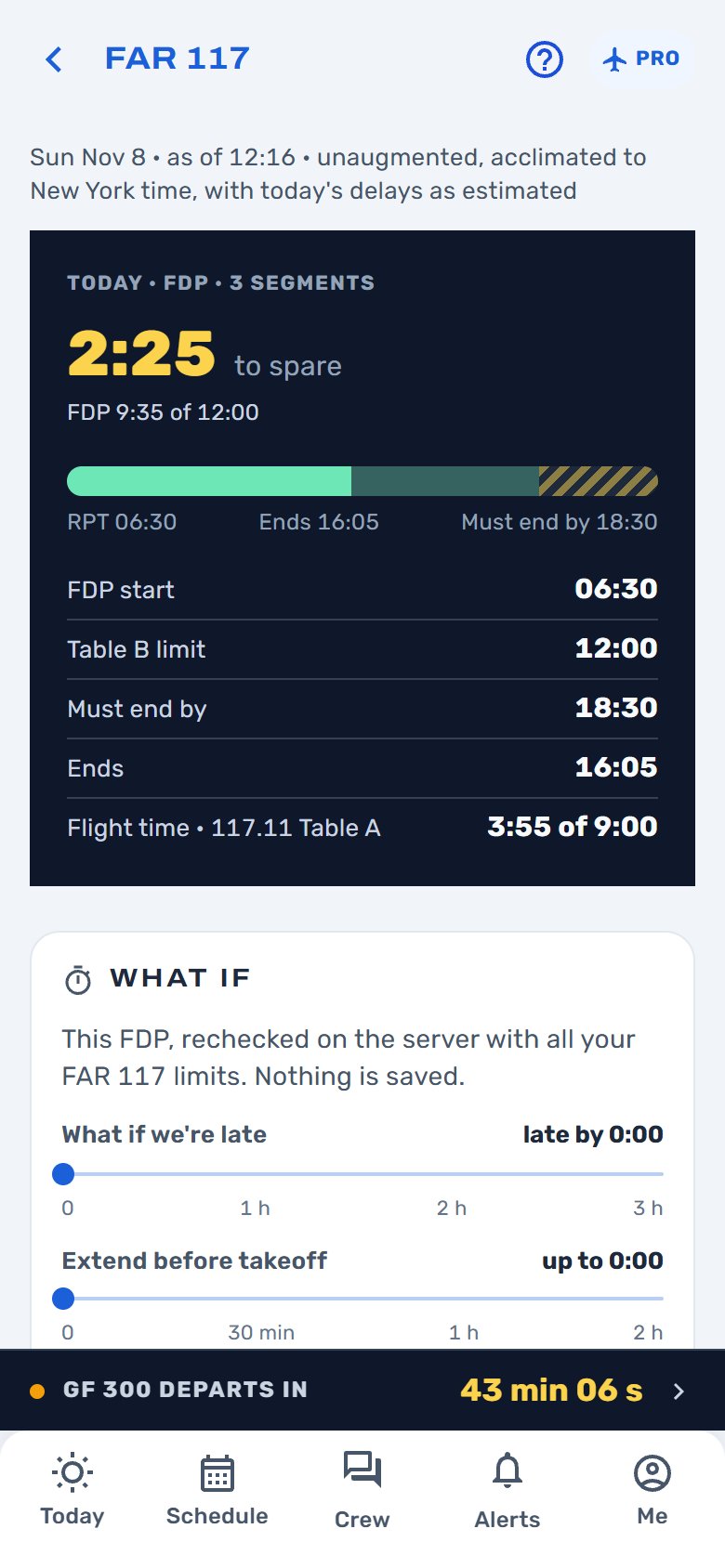
  • The FAR 117 page: 2:25 to spare, FDP 9:35 of 12:00, must end by 18:30, and a what-if slider for a late day.
    Pro

    FAR 117, for pilots

    Checked from your schedule, with a what-if for a late day. Advisory only.

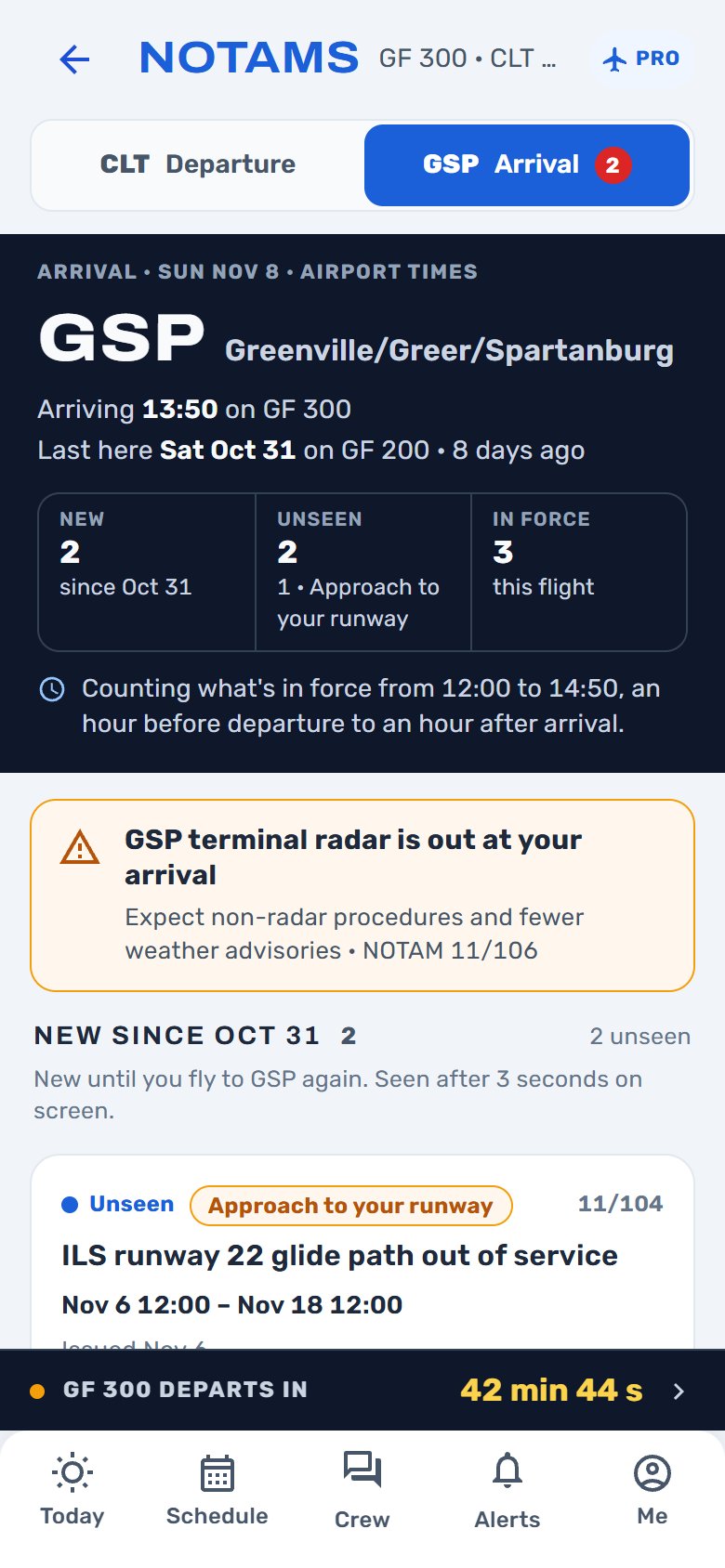
  • NOTAMs for a flight: at the arrival airport, 2 new since the last flight there, 2 unseen and 3 in force, with a warning that terminal radar is out.
    Pro

    NOTAMs new to you

    What's new since you last flew there.

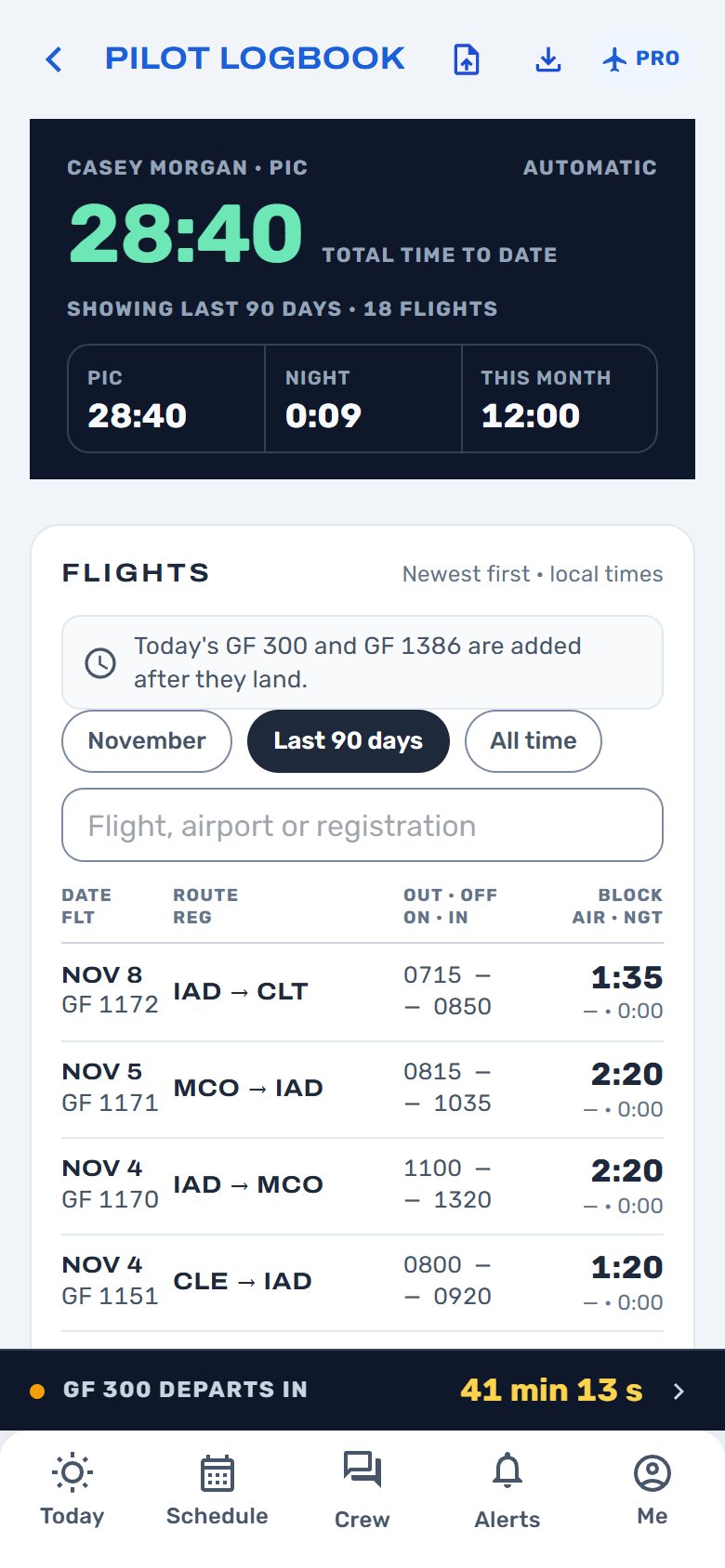
  • The pilot logbook: 28:40 total time, with PIC, night and this month, and the flights listed newest first.
    Pro

    A pilot logbook that fills itself

    From the flights you work, and yours to edit.

Scroll sideways for all seven.

Compare every plan
Animated still: Nina in a window seat, watching the sunset over the clouds.

Travelers

Add a trip once. It looks after the rest.

  • Add your trip in three steps. Type the flight number, or give us the booking as a screenshot, a PDF or text. Free Your first trip, 7 days of flights, is tracked free.

  • Where's my plane, and the delay outlook. See the airplane coming in for your flight and how late it's likely to run. Your airline's own times always win. Plus

  • Gate, boarding and your bag belt. Live times and gates, then your belt once it's posted. Plus

  • Share one flight with a link. Whoever is picking you up can watch it land. No app and no account needed. Free

See what Plus adds
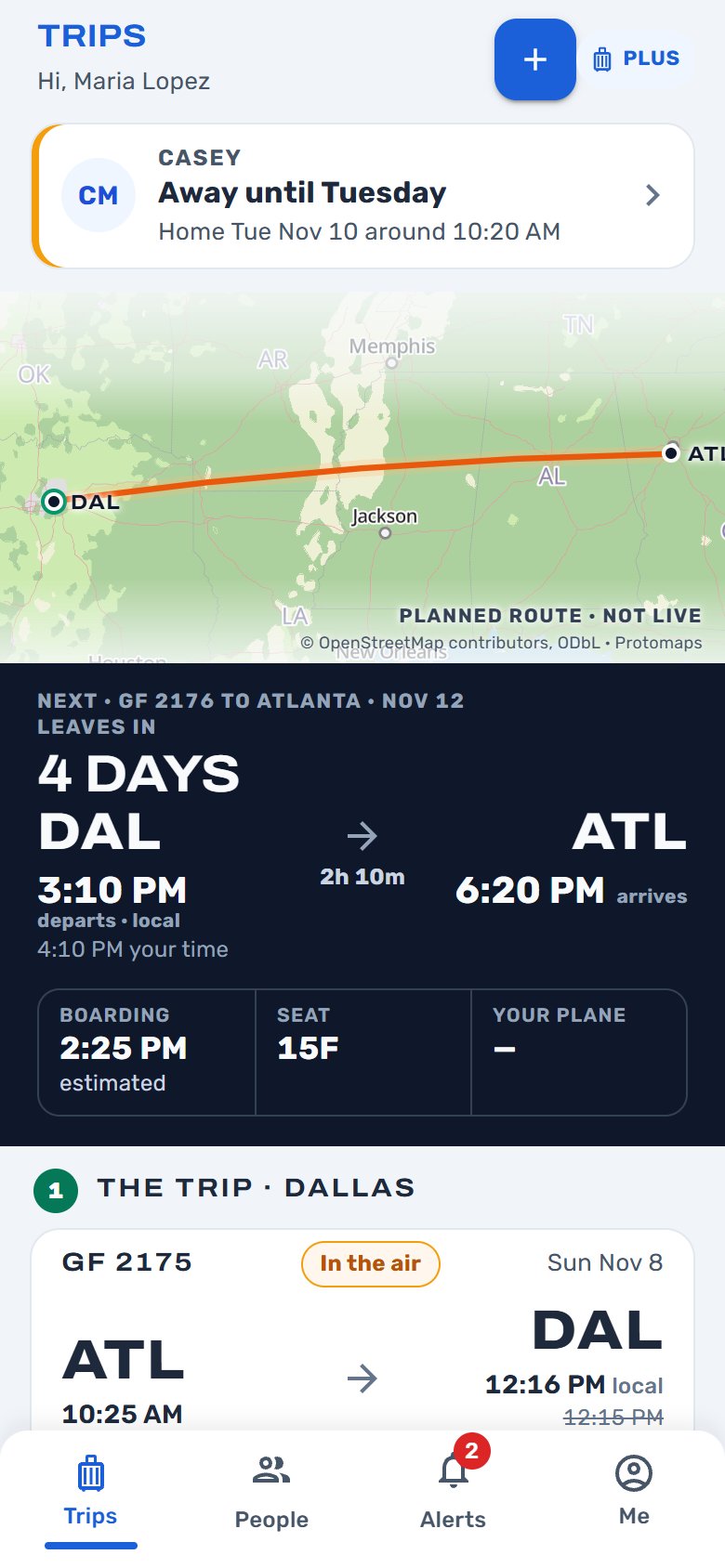
The app's Trips screen for a traveler: next, GF 2176 to Atlanta, leaves in 4 days, with boarding and seat 15F.
The real app, with made-up people.

What Plus and Pro add

Four real screens: the Flight Deck, Where's my plane, the delay outlook and the replay.

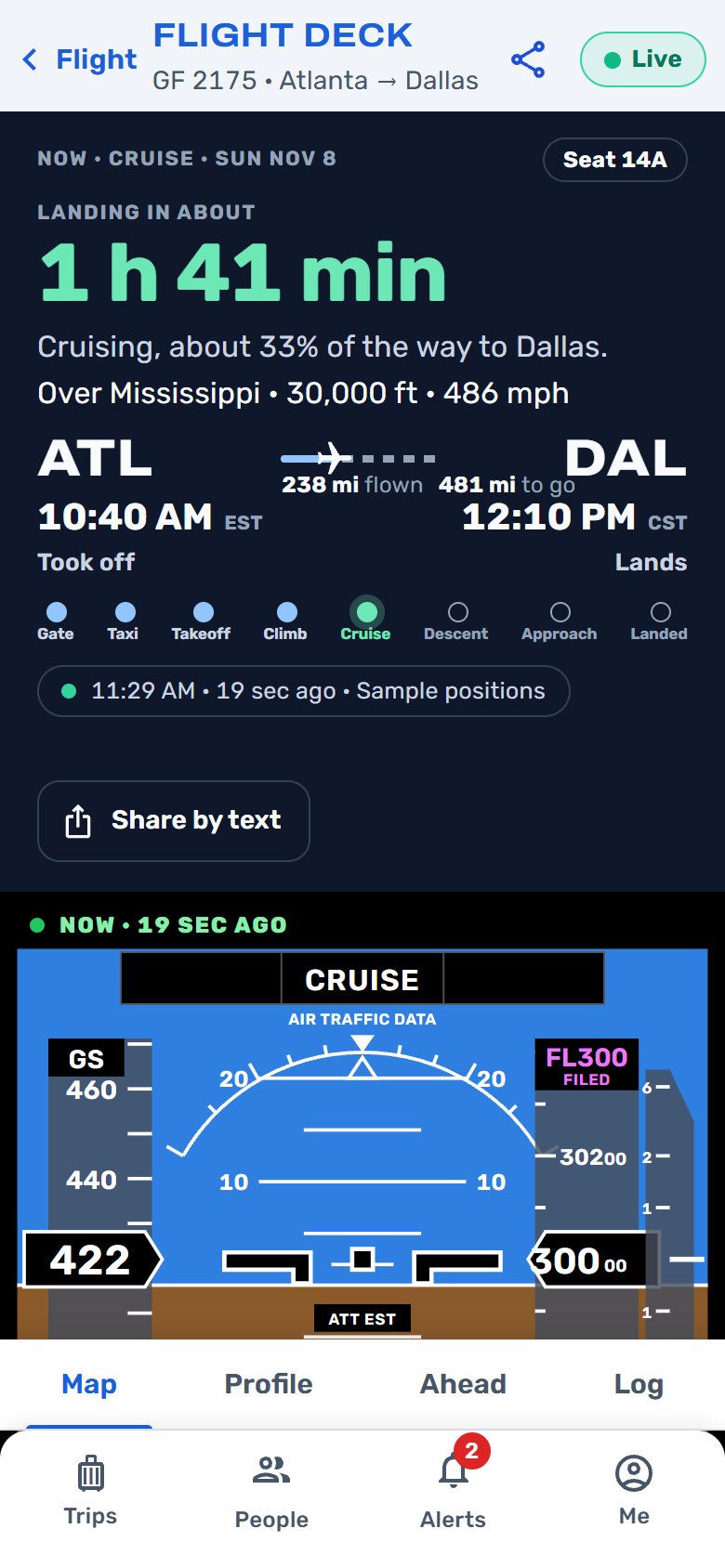
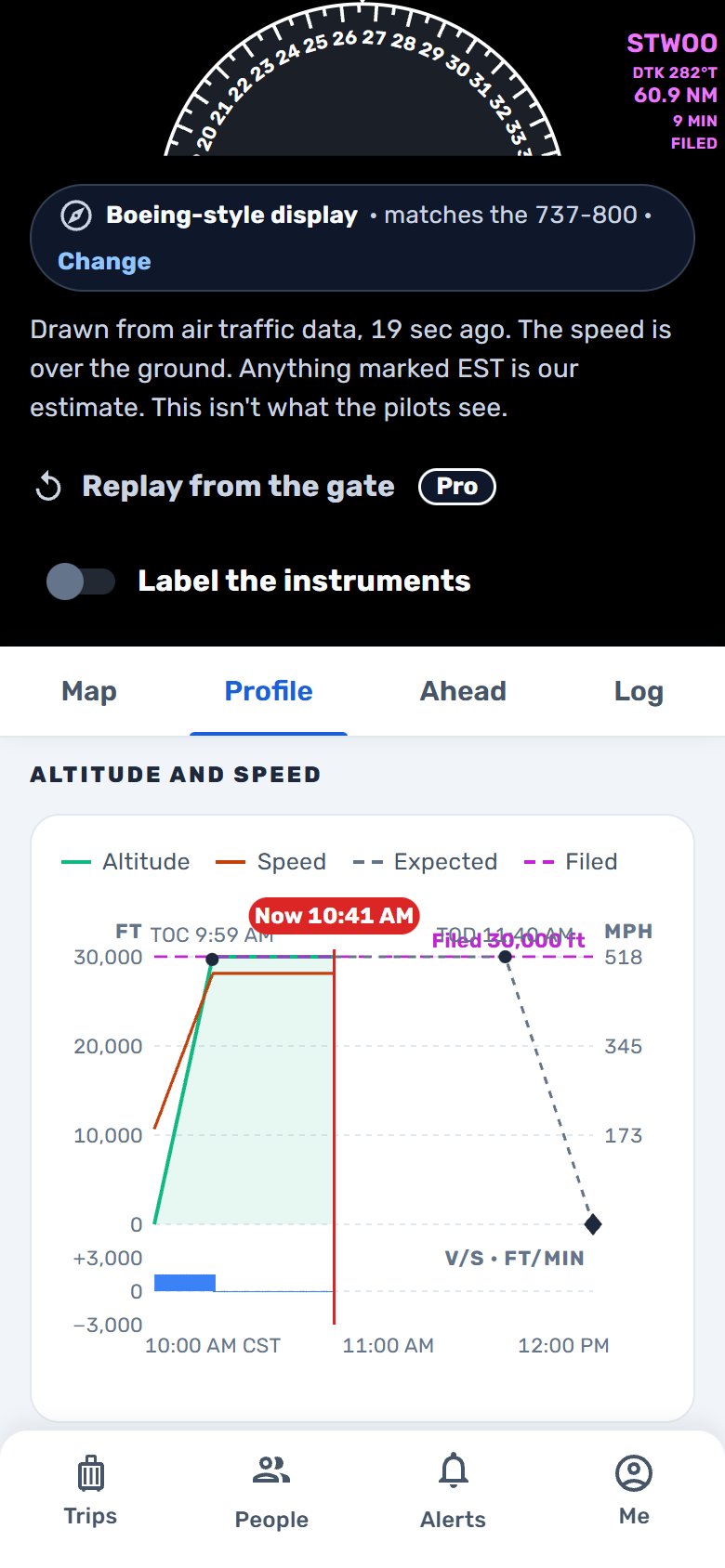
  • The Flight Deck in flight: landing in about 1 h 41 min, cruising over Mississippi at 30,000 ft, with the cockpit view below. Two more captures of it fade in, in turn.
    Plus

    The Flight Deck

    Live map, altitude and speed, and what's out the window.

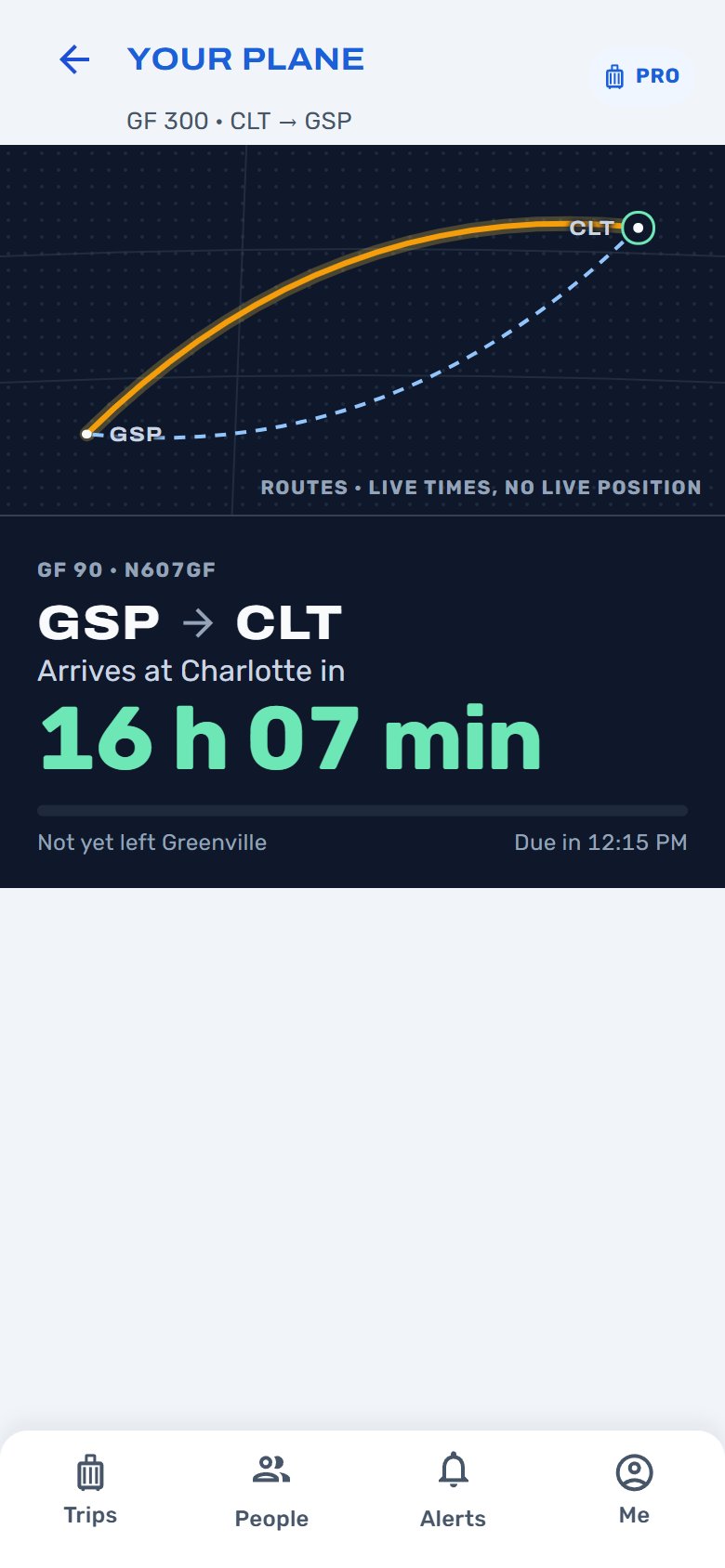
  • Where's my plane: the airplane for GF 300 is GF 90 from Greenville, arriving at Charlotte in 16 h 07 min.
    Plus

    Where's my plane

    The airplane coming in for your flight, and when it's due at your gate.

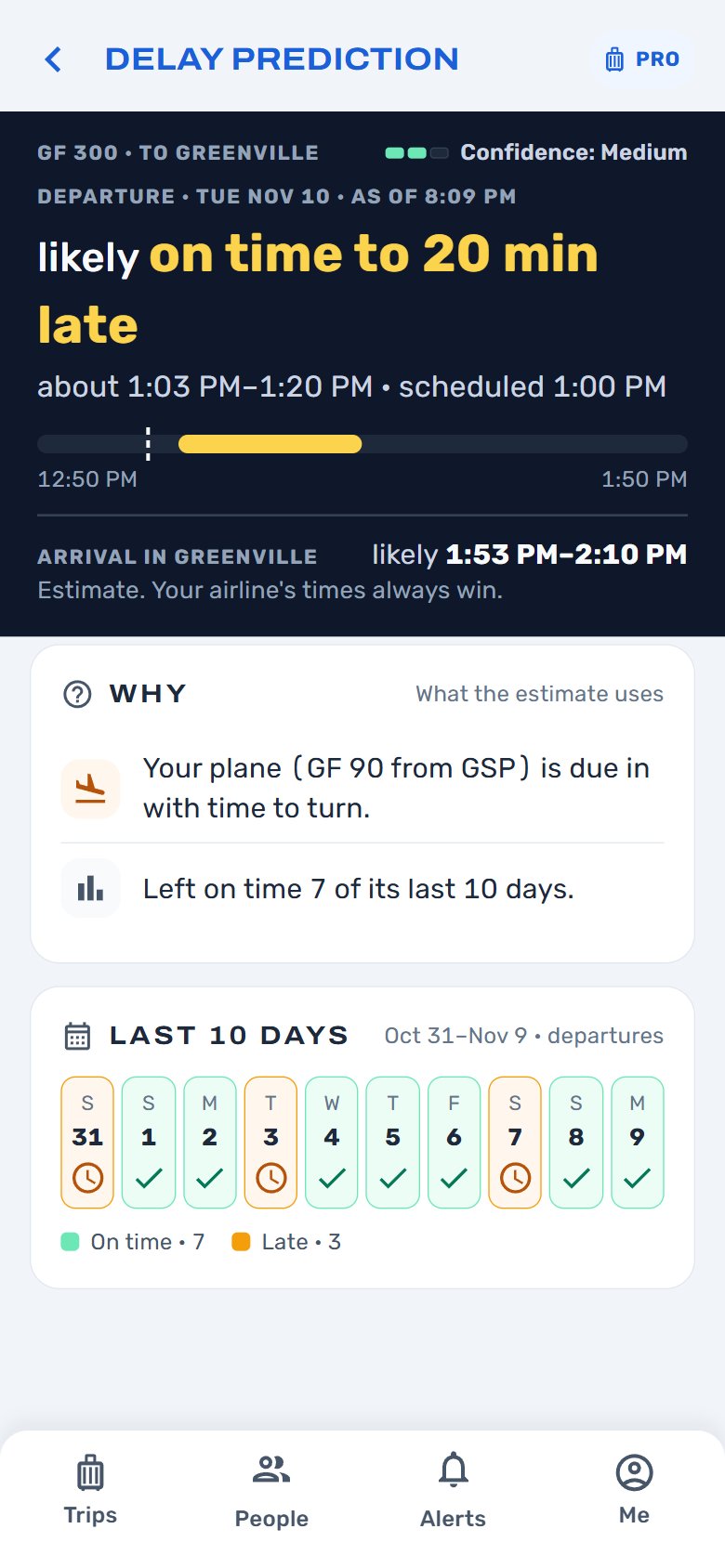
  • The delay prediction for GF 300: likely on time to 20 min late, medium confidence, with the reasons and the last 10 days.
    Plus

    The delay outlook

    How late it's likely to run, and why. Your airline's own times always win.

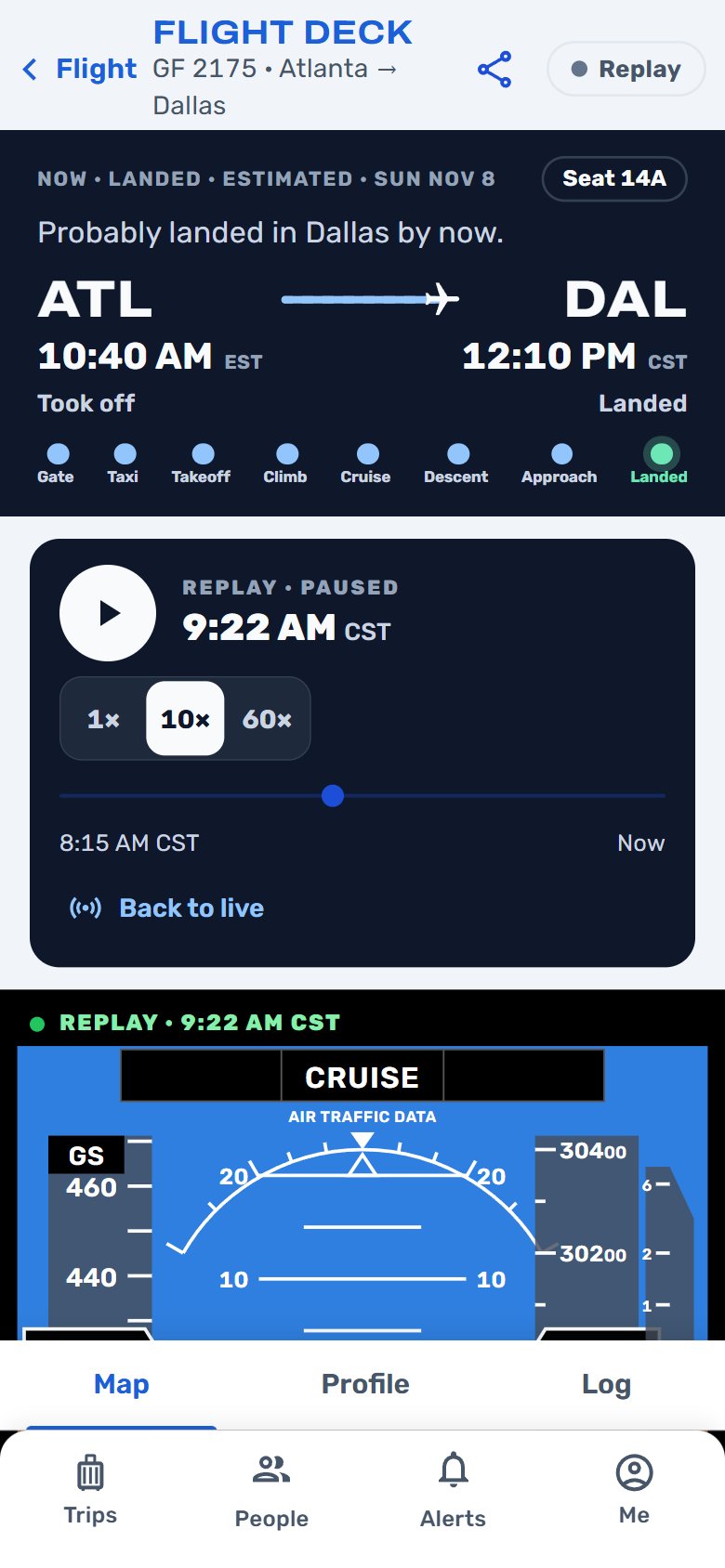
  • The Flight Deck replay of a landed flight: paused at 9:22 AM, with 1, 10 and 60 times speeds, and the cockpit view in cruise.
    Pro

    Replay your flight

    The Flight Deck replay from the gate, for 7 days after you land.

Scroll sideways for all four.

Compare every plan
Animated still: a father and his young son at breakfast, reading a phone together.

Family and friends

Know they've landed. Without checking.

  • Three messages, no refreshing. Running late On the way home Landed safely They arrive when the person flying has Plus

  • One glance when you want to look. The Family view: where they are right now, when they're home, and the two weeks ahead.

  • They decide what you see. You follow by their link or their yes. Family never see a hotel.

  • Free for you. Up to 6 people in a family circle, free for every one of them.

See what family see: a made-up example More for the people following a flight
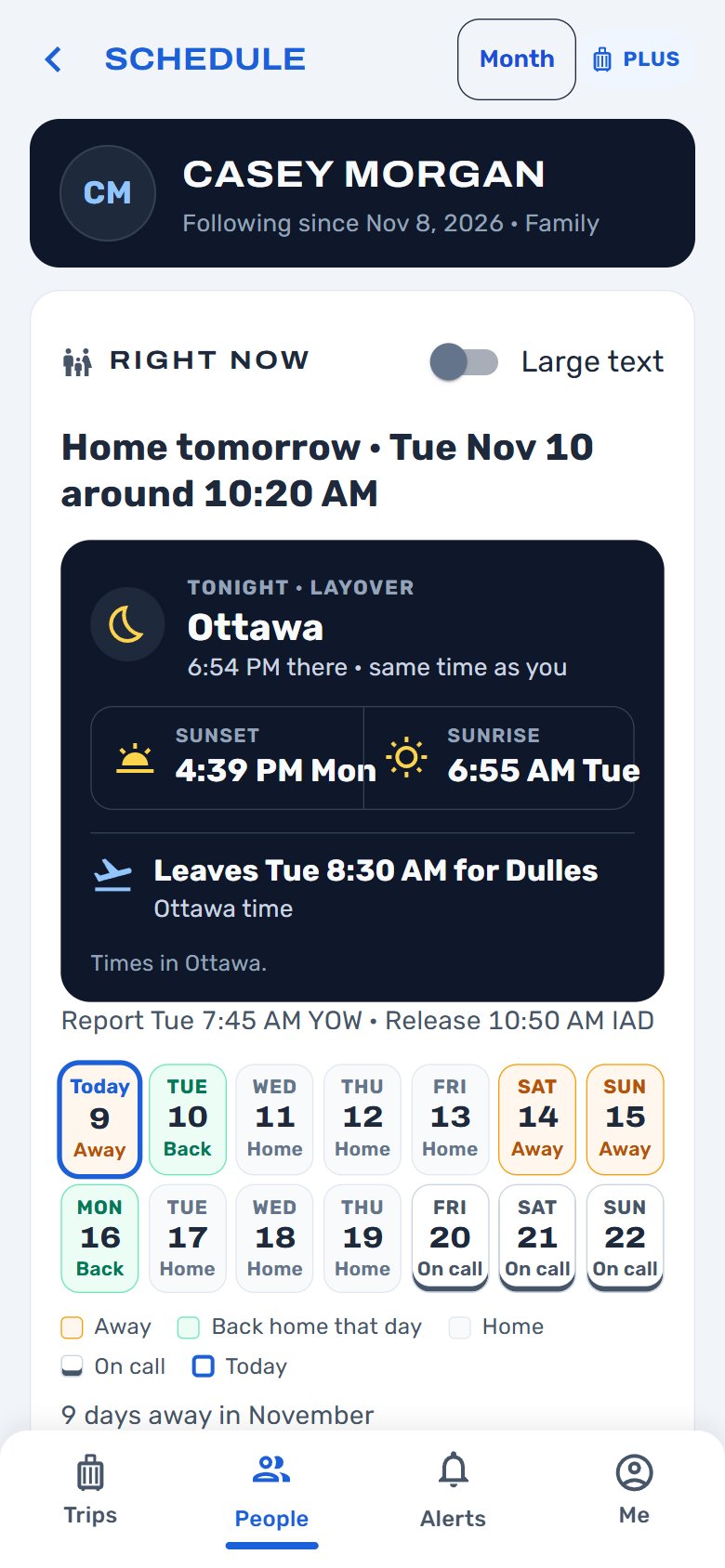
The app's Family view: home tomorrow around 10:20 AM, tonight a layover in Ottawa, and the two weeks ahead.
The real app, with made-up people.

Nothing to buy. Following is free. The three messages reach you when the person flying has Plus.

Give them Plus

One trip, in six scenes.

A captain, a flight attendant, and the people at home. Each scene carries the app's own words.

  1. Animated scene: the captain at his kitchen table at night, with a laptop and a cup of tea. 1 · Crew
    Ready to reviewAI read the roster. He checks every row.

    Sunday night. The roster goes in.

  2. Animated scene: the captain, the first officer and the flight attendant walk through a terminal at sunrise. 2 · Crew
    RPT 06:30 · IADGF 1172 departs in 45 min

    Monday, before sunrise. Report.

  3. Animated scene: the three crew meet at the aircraft door. 3 · Crew
    Elena OrtizFlight attendantWorking

    At the door. Who's flying with you.

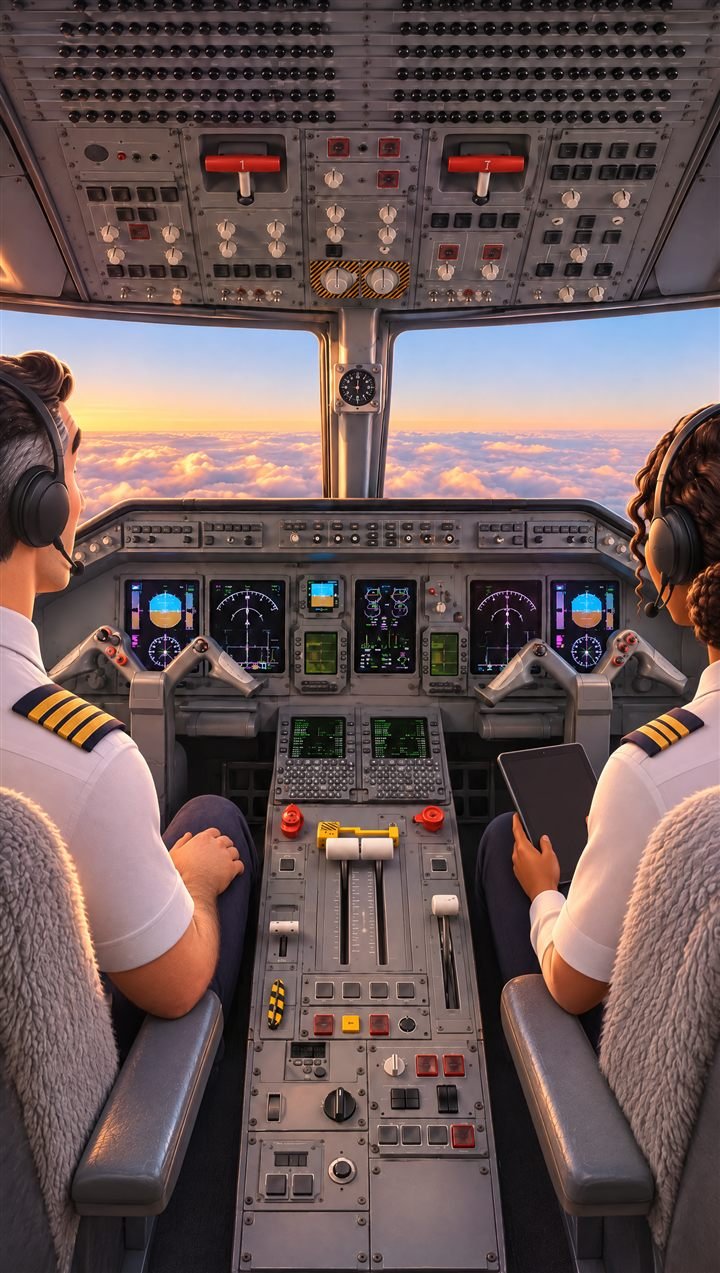
  4. Animated scene: the cockpit above the clouds at sunset, seen from behind the two pilots. 4 · Crew
    Must end by 18:302:25 to spareAdvisory only

    In cruise. The limits are worked out.

  5. Animated scene: the flight attendant's mother at her kitchen table, smiling at a tablet. 5 · Family
    In the air to Ottawalands in 1 h 05 min

    At her mother's kitchen table.

  6. Animated scene: the captain's wife and daughter on the sofa, reading a phone. 6 · Family
    Landed safelyCasey landed safelyHome around 7:30 PM

    Tuesday evening. Home.

Three steps to get your flights in.

  1. Bring it in. A roster or a booking: a screenshot, the PDF or the text. Or just a flight number.
  2. We read it. AI reads a roster or a booking. A flight number is looked up.
  3. You check it. Nothing is added until you confirm.

Four plain facts.

  • No airline login, ever. We never ask for an airline password and never sign in to airline systems.
  • You choose who follows you. And what they see. Hotels stay hidden unless you share them.
  • One account everywhere. iPhone, Android and the web.
  • Free isn't a trial. Following, your family circle and your records cost nothing, for as long as you use them.

Free isn't a trial.

Show prices

Free

$0

For everyone, always. No card.

  • AI import, 5 a month
  • Add a flight by number, 50 a month
  • Followers, family circle and the Family view
  • Your first trip tracked live: 7 days of flights

Plus

$29.99 a year$3.99 a month$49.99$6.49 from Jan 1
Christmas · Launch price

About $2.50 a month. Saves $17.89 (37%) against paying monthly.That is $47.88 over a year. Paid yearly, it is $29.99.

  • Unlimited flight tracking
  • Alerts for you and everyone who follows you
  • Where's my plane and delay predictions
  • For crew: block, TAFB and rest, the crew brief

Pro

$59.99 a year$7.99 a month$99.99$12.99 from Jan 1
Christmas · Launch price

About $5 a month. Saves $35.89 (37%) against paying monthly.That is $95.88 over a year. Paid yearly, it is $59.99.

  • For pilots: FAR 117 checks from your schedule. Advisory only.
  • NOTAMs new to you
  • A pilot logbook that fills itself

Lifetime

Pay once and keep it. Lifetime members get support replies within one business day, one-time setup help and their ideas heard first.

Christmas · Launch price
Lifetime Plus $199$299 from Jan 1
Lifetime Pro $299$399 from Jan 1
Compare every plan

Subscribe by Dec 31 at 11:59 PM Pacific and your yearly or monthly price stays the same for as long as your subscription renews. Your airline's own times always win. Duty limits are advisory only. Not an official source for operational decisions. Verify with your airline.
Built by an airline captain who still flies the line. For the crews he flies with, the travelers in the back, and everyone waiting at home.

The pictures of people are made with AI. Every app screen on this page is the real app, with made-up people and flights.