Know they've landed. Without checking.
Follow the pilots, flight attendants and travelers in your life. Glidepath Flights watches their flights and tells you the moment something changes: running late, on the way home, landed safely.
Sent a link by someone you love? Open it on your phone and you'll be following them in a minute.
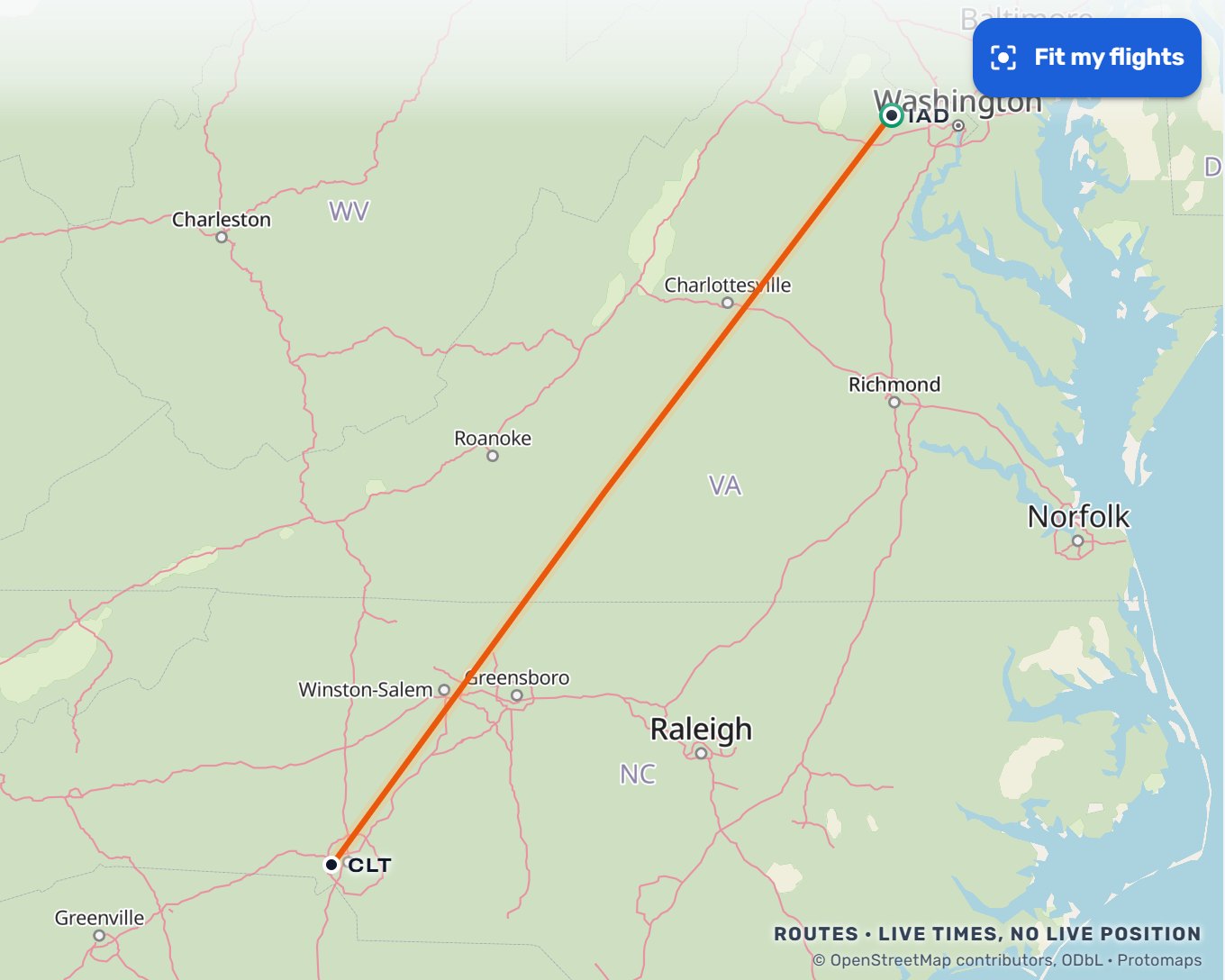 11:41 AM · Running late
12:52 PM · On the way home
2:17 PM · Landed safely
Home around 2:56 PM
One afternoon. Three messages. No refreshing.
Maria flies home from Washington. Her mom, Carol, never opens an app, never types a flight number, never asks "are you there yet?"
- At IAD11:41 AMRunning late
Maria's flight home is running late
Now leaves IAD at 12:50 PM, 38 min late. Carol hears before Maria has even boarded.
- In the air12:52 PMOn the way home
Maria is on the way home
Left IAD at 12:50 PM; due into CLT at 2:20 PM.
- At CLT2:17 PMLanded safely
Maria landed safely
Landed at CLT at 2:16 PM. Home around 2:56 PM, counted from her own drive home.
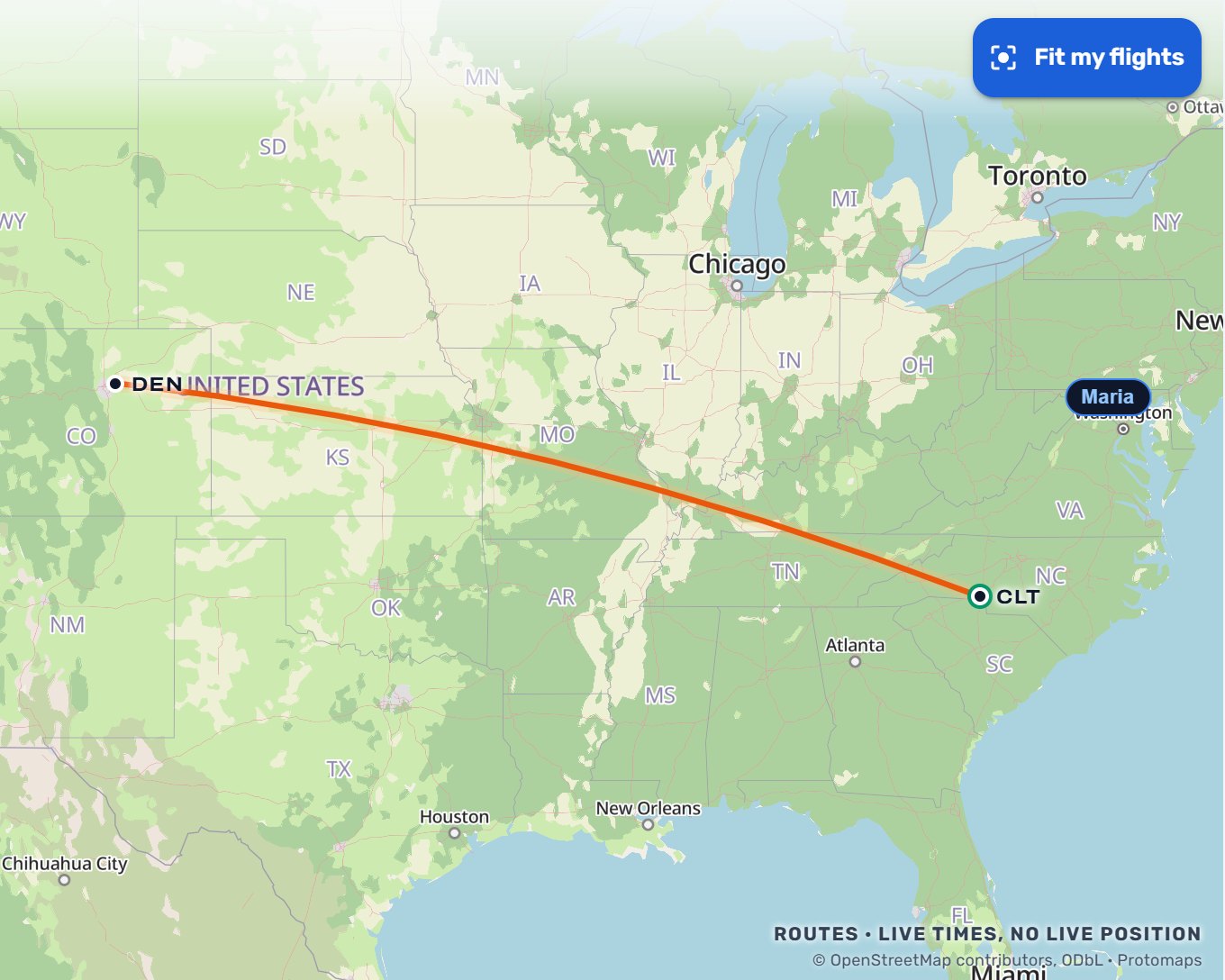
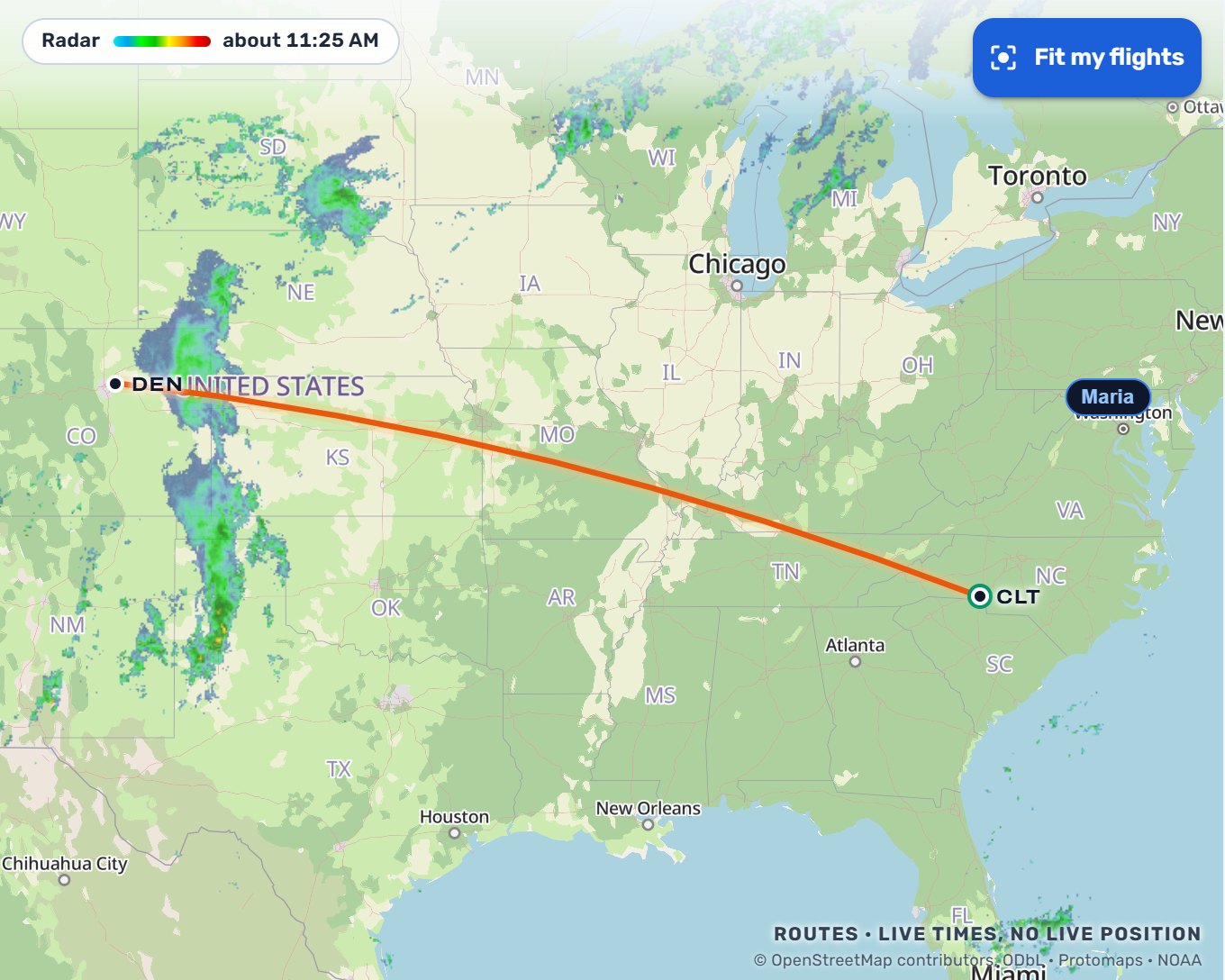
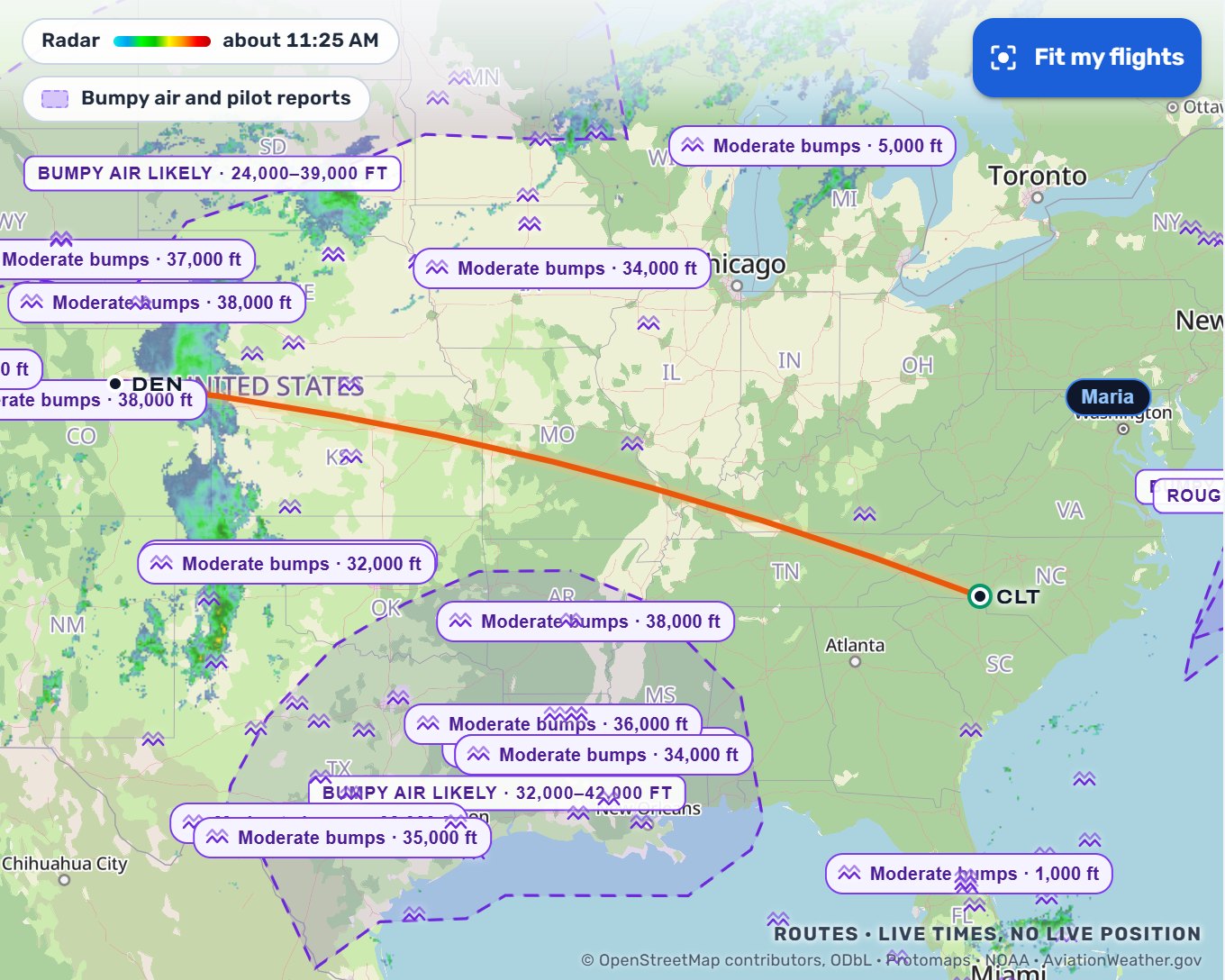
The weather on the way, before you ask.
Switch on radar and bumpy air, and your flight's own map shows where the rain is and where pilots are reporting a bumpy ride. Over the US, on every plan.
- Your flights, on a real mapLight or Dark, picked in Me.
- RadarFrom NOAA, every 5 minutes.
- Bumpy air and pilot reportsWhere it's likely, and what pilots report, from AviationWeather.gov.
The people you follow show on your map too, when they choose to. That's Maria, near Washington.


When you do want to look, it's one glance.
Once Maria marks you as family, you get the Family view: where she is right now, when she's next home, and her week away and at home. No airline jargon, and large text whenever you want it.
- Where she is nowIn the air, on a layover, or home
- Her layover's weatherGood visibility, 55°F in Dulles
- When she's homeNext home, and next time she leaves
- Her weekEach day away or at home
- Sunday emailHer week ahead, if you'd like it
Up to 6 people in her family circle. Free for every one of them.
Maria decides what you see. Always.
She approves you
Following starts with her link or her yes to your request. She can remove anyone, any time, and they're simply gone.
She picks the details
Hotels stay hidden unless she shares them, and any single item can be hidden from followers. Booking references never reach anyone.
No airline login
Her schedule comes from her own screenshots, PDFs or pasted text. Glidepath Flights never asks for an airline password and never signs in to airline systems.
Every flight you've flown, on one map.
Your logbook builds itself into a Passport: your routes map, miles, airports, countries and milestones, then a Year in review to share. Free, for every flight you add.
An example Passport. Yours starts with your first flight.
Flying yourself? It looks after the trip.
Add a trip once. From the night before to the bag belt, what you'd otherwise go looking for comes to you.
Add your trip in three steps
- Bring your tripType the airline, flight number and date, or give us the booking: a screenshot, the PDF or the text.
- We read itWe look up a flight number, or AI reads the booking.
- Check itNothing is added until you confirm. Your first trip is tracked free.
- Add a trip any way. Forward the airline's email, drop in screenshots or a PDF, or type the flight number.Free
- The day before. When check-in usually opens, a reminder if you want one, and the sunny side of the plane.Free
- Choose your side before you book. The window for the sunrise, the sunset or a mountain on the way.Free
- Your airport. Conditions now, ground stops, and the live departures board (3 airports a day on Free).Free
- Spot something before you board. The walk to an airplane on your spotting list, and back before boarding (the same 3 airports a day on Free).Free
- Landed, with your belt. Arrival gate, the weather outside, and your bag belt once it's posted.Plus
Fly for a living? There's a page just for you.
Where we're different, in their own words.
Here's Glidepath Flights beside what other apps say on their own pages, checked Oct 25, 2026.
- Followers
Followers are free. When the person flying has Plus, everyone they approve gets their flight alerts.
TripIt's Inner Circle shares trips with people on a free account. Its help centre says they get itineraries, not flight notifications.TripIt help centre · checked Oct 25, 2026
- Your schedule
Paste text, add up to 10 screenshots or a PDF, and AI reads the flights. Nothing the AI reads is saved until you check it.
TripIt's Image to Plan reads photos, screenshots and PDFs for Pro members; its help centre lists lodging, car, rail and other plans, not flights.TripIt help centre · checked Oct 25, 2026
- Phones
iPhone, Android and the web, on one account.
Flighty is on iPhone, iPad, Mac and Apple Watch. Its waitlist page says Android isn't in its immediate plans.Flighty · checked Oct 25, 2026
- Price
Plus, which tracks all your own flights with alerts: $29.99 a year.
Flighty Pro $59.99, TripIt Pro $49 and Aviate Pro $39.99 a year. FlightAware's free tier includes 5 alerts.Flighty, TripIt, Aviate, FlightAware · checked Oct 25, 2026
Where they're ahead: Flighty also runs on iPad, Mac and Apple Watch, and brings your history over from six other flight apps. Names belong to their owners; we're not affiliated with any of them.App Store, Flighty help · checked Oct 25, 2026
See every comparisonFree isn't a trial.
Following, your family circle and your records cost nothing, for as long as you use them. Plus adds live flight data for you and everyone who follows you.
Following is free. Give them Plus, and everyone gets the alerts.
Alerts follow the plan of the person flying. Give Maria Plus and every follower she approves gets her updates. She accepts the gift, and paying never changes what you can see.